Wipe the board.
Keep the notes.
Snap your revision notes, a mini whiteboard or a page of your notebook. Whiteboard Revision types them up, checks them against your exam specification and turns them into flashcards, before your next lesson.
GCSE and A-level. Works on iPhone, iPad, Windows tablets, Chromebooks and laptops.
How it works
Three steps, done before the bell.
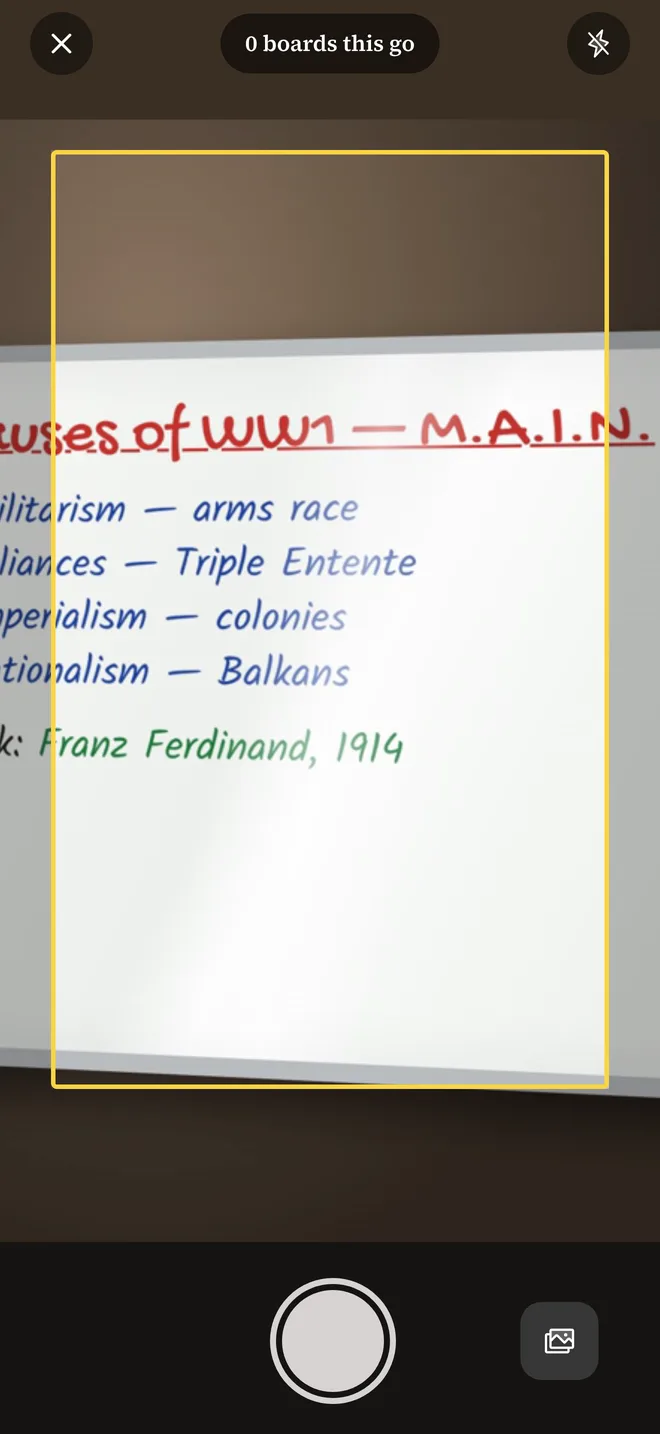
Snap it
Photograph the board before it's wiped. Take as many as you like in one go, or pick photos from your camera roll.
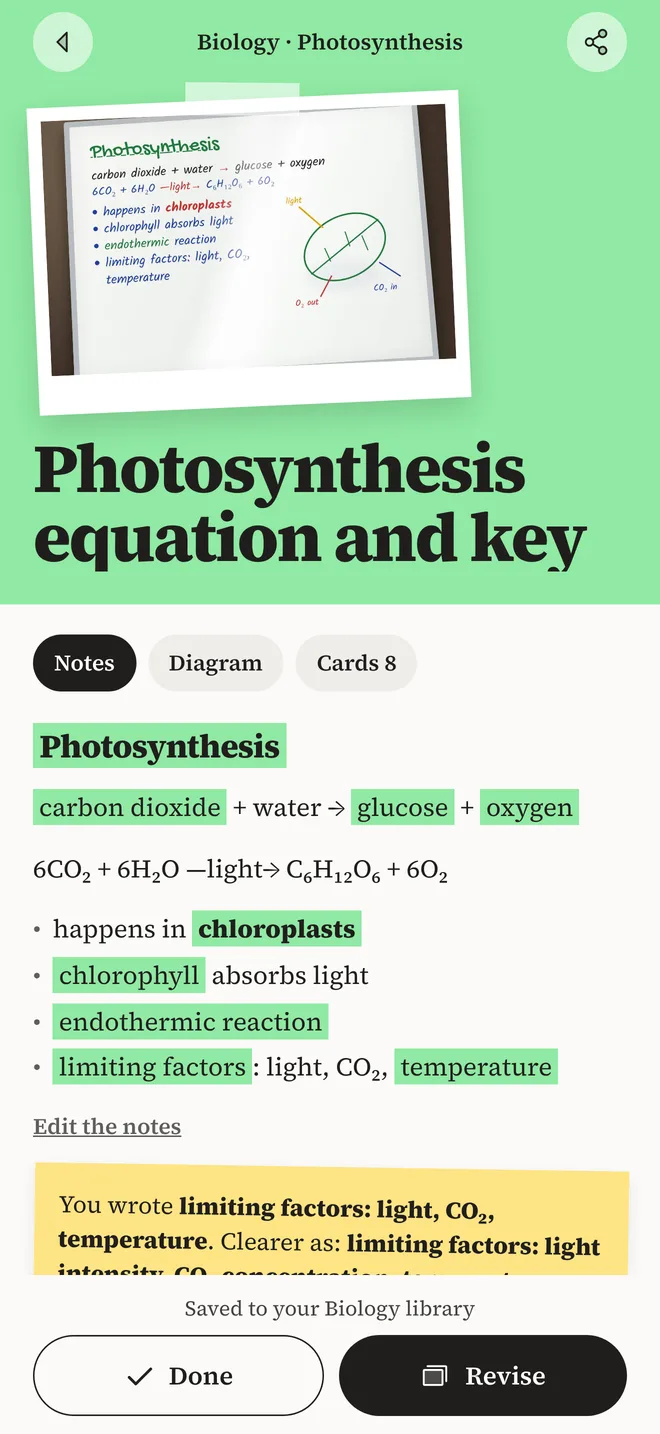
We read it
Your handwriting becomes tidy typed notes, filed under the right subject and checked against your exam specification.
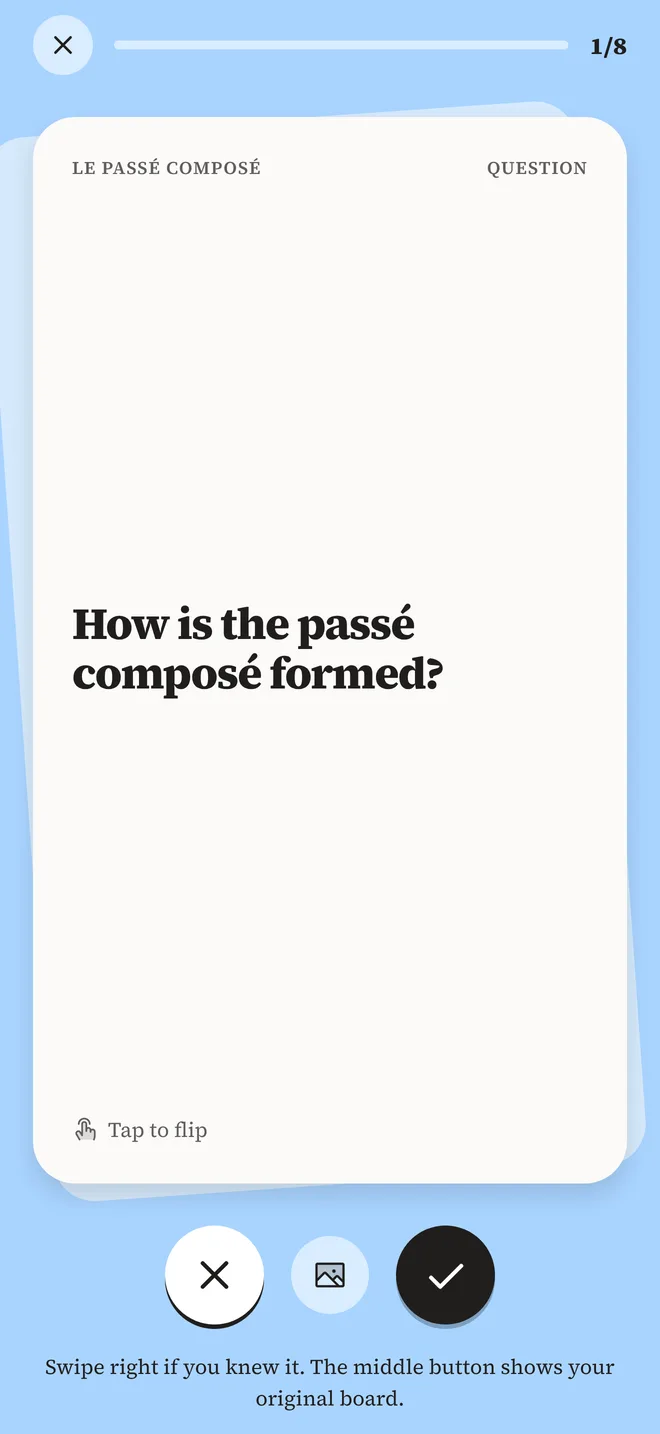
Revise it
Every board turns into flashcards from your own notes. Swipe through them; the ones you miss come back sooner.
What you get
Your notes, made useful.
Typed up and filed
Handwriting turned into clean, searchable notes. Key terms highlighted, and your original photo kept alongside.
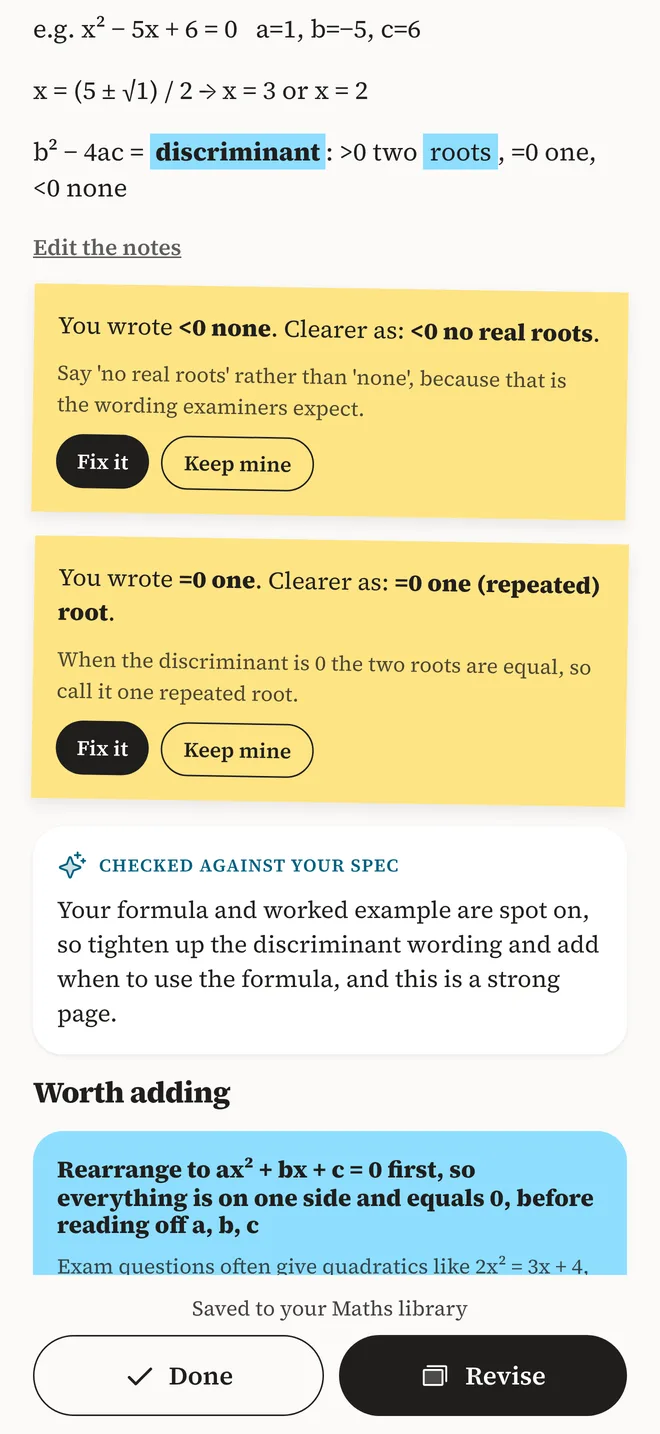
Spots mistakes before they stick
"You wrote… Clearer as…" corrections with a reason for each, and the points examiners expect that your notes missed.
Flashcards from your own notes
Cards written from what you actually wrote, not someone else's deck. A daily challenge and a streak keep you going.
See your spec coverage
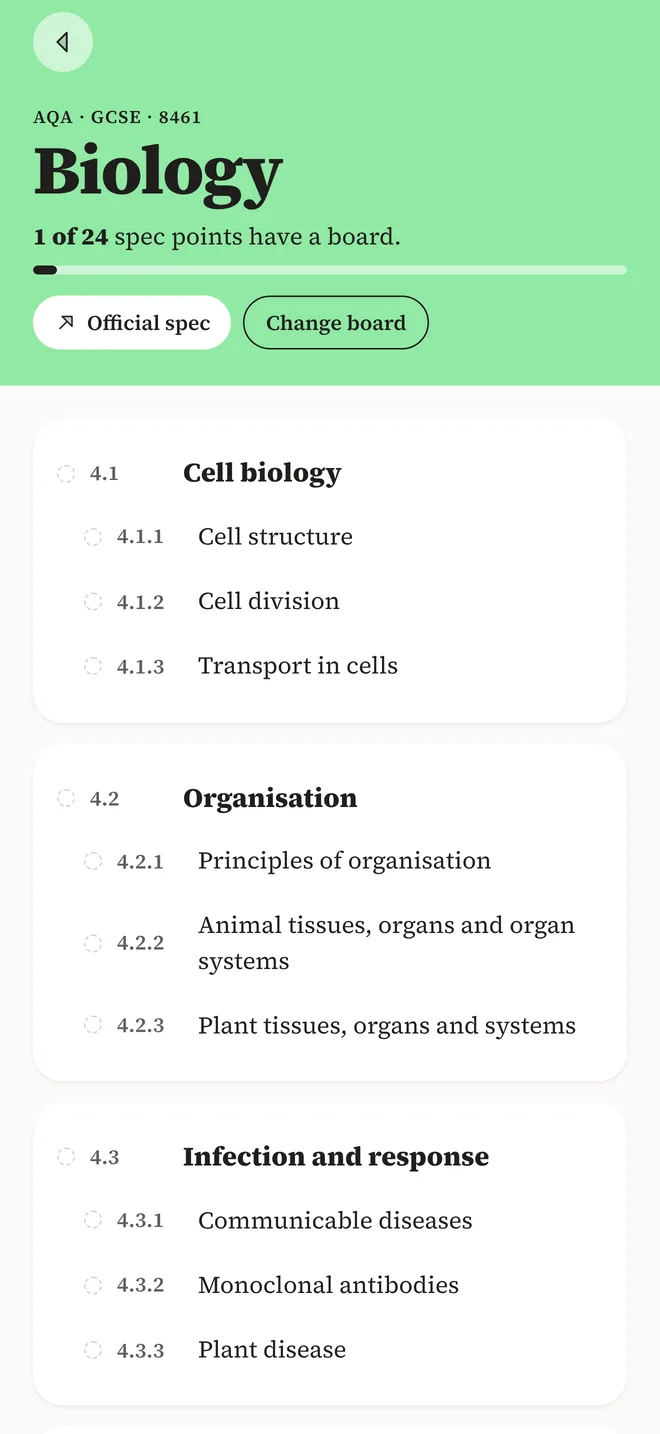
Every board is matched to your specification, so you can see which topics you've covered and which still need a board.
Your exams
Every subject. Every exam board.
Pick GCSE or A-level, your subjects and your boards. Not listed? Add your own subject.
Topic-by-topic spec coverage today for AQA, Edexcel, OCR and Edexcel IGCSE, with more boards on the way.
For schools
One licence for the whole school.
Students sign in with their school Microsoft 365 account, and a school licence covers everyone in your organisation. No passwords to hand out, no class lists to upload.
Private by design
- Boards, notes and flashcards stay on the student's device.
- Photos are read and not kept on our servers.
- No ads and no tracking.
- Students can delete their account at any time, from the app.